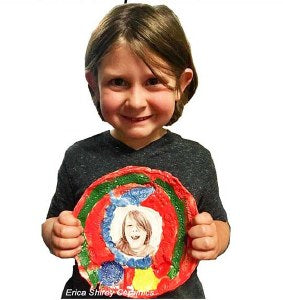
FIRED-ON IMAGES™
Laser Printer Image Transfer Kit
Enables artists of any skill level to create amazing works of art
• Perfectly rendered high definition graphics, text, handwriting, and photos
• Laboratory-tested, permanent, dishwasher and food safe
• Works on any kiln fire-able surface, including store-bought tiles and tableware
• Includes foolproof step-by-step instructions and precise firing temp. guide
• Provides tips on colorizing sepia images using on-hand supplies
• Works with All Canon and Many * HP Black-onlyLaser Printer, Fax or Copier (not for use with inkjets or color laser printers) Check FAQ’s at www.fired-on.com for changes in some of HP’s newer (2019+) printers!!
Are you looking to fire text, graphic images or photographs onto your fired artwork? All you need is Fired-On Images MS (Multi-Surface) Transfer Paper, a model of Canon or HP Laser Printer (provided it is a black-only and NOT a color printer) and access to a kiln.
As of 2019, a few of HP’s NEW Black Laser printers have changed their toner formulation. Before you buy a new HP printer for this process, please check the cartridge number on HP’s MSDS site to be sure your toner contains either Iron Oxide or Ferrite.
There is also a link on the FAQ page at www.fired-on.com ALL Canon Black-Only laser printers still work for this process.
This transfer paper allows you to transfer images permanently onto ceramic, porcelain, stoneware and glass surfaces. Fired-On Images are food safe and oven and dishwasher proof. Porcelain and stoneware projects are even microwavable! All images fire to a beautiful sepia brown and can be colorized with a variety of easy techniques.
Home hobbyists, contemporary studios, schools and individual ceramic, porcelain and glass artists can easily and safely produce amazing custom projects. AND - it is affordable! Use this decal paper to create gifts, promotional items or anything else you could think of! Explore the many possibilities this technique can afford. Just imagine firing Grandma’s photo with her handwritten recipe card onto a beautiful platter. There won’t be a dry eye in the house when you place this heirloom treasure on the family table!!
Pack includes ten 8.5" x 11" sheets and instructions.
Works on:
· Hand Glazed Ceramic, Porcelain or Stoneware Bisque
· Factory Glazed Porcelain , Stoneware or Commercial Tile
· Fusible Glass
FAQ’s for Fired-On Images
1. Image has disappeared completely after firing: Make sure that you are using An *HP or Canon BLACK-ONLY Laser Printers or Multifunction Printer /Copiers or Fax machines to make your image. Only use authentic HP or Canon toners, no substitutes. Use only “Fired-On Images™” Brand of Transfer Paper. *As of 2019 a few NEW HP models do not contain iron oxide. Before buying a new HP printer, Check HP’s MSDS site linked here http://fired-on.com/faqs/ to check if your cartridge number contains iron oxide / ferrite. All Canon Black-only laser printers/copiers still work! Noinkjet printers or color printers will work for this process.
2. Black Toner smudged when you remove water from the unfired transfer paper: If toner smudges on the decal paper before you’ve touched it... change paper preference in printer menu to “Heavy Paper”
3. Image wipes off after firing: Transfer firing too low, try again at a higher temperature. Porcelain Painters check the tutorial on www.fired-on.com for cone 018 temp firing info
4. Image has faded after firing: Transfer firing temperature is too hot…use a lower temp.
5. PYOPs : If you exclusively fire to cone 06 and so must fire the decal to cone 06 then use 2-3 coats of Spectrum 799 Majolica White as either a base coat and paint your colors on top OR paint 799 white glaze where you will be putting images and paint bisque as usual then use a wax resist over the white glaze areas before dipping in clear. TEST KILN TEMPERATURE with witness cones!! If your kiln fires any hotter than a true cone 06,images may fade.
6. Image has cracks in it: Small microscopic crackling is normal but if you see large cracks or holes after firing, be sure to handle the film as little as possible by lifting the backing paper out of water bath with film still attached then slide film onto surface gently. Use a rubber roller “brayer” over a paper towel laid on top of the image then remove ALL water and bubbles. Do not stretch the film when applying.
7. Ware has cracked after firing:
Stoneware requires a slow fire for both heating up and cooling down.
Porcelain and stoneware must be dry footed…placed directly on kiln shelf
8. Glazed Surface has bubbled or roughed up during image firing:
The Glaze you used is not suitable for additional high temperature firings. Best results with a non-moving glaze. Test first! For best results with factory glazed tableware be sure that it has a permanent label stating “microwave safe” fired onto bottom.